The Hidden Climate Emergency: Why Methane Is the Decisive Factor in Global Temperature Control

Methane is a colorless, odorless, and highly potent greenhouse gas that has emerged as the second-most significant driver of the global climate crisis, trailing only carbon dioxide in total atmospheric impact. While carbon dioxide is often the focus of international policy debates, methane is fundamentally different in its chemical behavior and atmospheric lifespan. It is a hydrocarbon—composed of one carbon atom bonded to four hydrogen atoms—that traps heat with far greater intensity than CO2, yet it persists in the atmosphere for only about 12 years. This dual nature makes methane the "fast-track" variable in climate change: because it is so potent and short-lived, reducing its concentration today provides an immediate, tangible opportunity to slow the rate of global warming within the next two decades.

The Chemical and Biological Origins of Methane
Methane is produced through two primary pathways: geological and biological. Geologically, it forms over millions of years as heat and pressure act upon organic matter deep underground, creating the natural gas reservoirs that currently fuel approximately 25 percent of the world’s electricity. Biologically, the gas is generated via methanogenesis, a process where archaea—microorganisms thriving in oxygen-deprived environments—break down organic matter. This natural process occurs in wetlands, the digestive tracts of ruminant livestock, and within the termite population. While these natural sources have existed for millennia, human activities have significantly disrupted the planet’s atmospheric balance by injecting massive quantities of anthropogenic methane into the cycle, exceeding the capacity of natural "sinks"—such as soil and the troposphere—to absorb the gas.
A Chronology of Rising Concentrations
The industrial era has marked a period of unprecedented atmospheric methane growth. Data from the World Meteorological Organization indicates that by 2023, methane concentrations reached a record high of 1,934 parts per billion (ppb), representing a 265 percent increase over pre-industrial levels.

- 19th Century: Industrialization begins to drive the first major uptick in methane, primarily through coal mining and early fossil fuel extraction.
- 2000–2020: A notable acceleration in methane emissions from tropical and permafrost wetlands is recorded, linked to shifting precipitation patterns and temperature anomalies.
- 2021: The COP26 conference in Glasgow sees the launch of the Global Methane Pledge, with 159 nations committing to a 30 percent reduction in emissions from 2020 levels by 2030.
- 2023–2024: Despite global pledges, record-breaking atmospheric concentrations continue, revealing a critical gap between policy promises and operational implementation.
Measurement and the Challenge of Super-Emitters
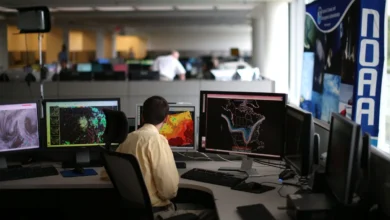
Scientific monitoring of methane has evolved from ground-level "bottom-up" estimations—which calculate emissions by multiplying the number of cows or leaks by a standard emission factor—to "top-down" satellite observations. High-altitude sensors and satellites now allow researchers to detect "super-emitters," localized leaks that are responsible for a disproportionate share of global emissions. Research indicates that the largest 5 percent of leaks often account for more than 50 percent of total gas-industry leakage. Relying solely on older, inventory-based methods has historically led to underestimating emissions; one prominent study found that U.S. oil and gas methane emissions were 60 percent higher than those reported by the Environmental Protection Agency.
Sectoral Analysis: Agriculture, Energy, and Waste
Human-caused methane emissions are concentrated in three primary sectors: agriculture, fossil fuel extraction, and waste management.

Agriculture currently accounts for approximately 40 percent of anthropogenic methane, with enteric fermentation—the digestive process in cattle, sheep, and goats—serving as the leading contributor. Manure management and flooded rice paddies also contribute significantly, as the anaerobic conditions in rice fields provide a breeding ground for methane-producing microbes.
The fossil fuel sector is responsible for 35 percent of human-caused emissions. This includes venting (the intentional release of gas during extraction), flaring, and accidental leaks throughout the infrastructure network. Coal mining is another major source, as methane trapped within coal seams is released when the rock is fractured or removed. Experts note that as coal mines are abandoned, they continue to leak methane for years unless properly capped.

Waste management represents the remaining 20 percent of human-caused emissions. As populations urbanize, the volume of solid waste in landfills grows. Microbes within these landfills, as well as in inadequately treated wastewater, produce vast quantities of methane as they decompose organic matter. Current projections suggest that without major policy interventions, waste-related methane will grow faster than any other human-caused source through 2030.
The "Bridge Fuel" Myth and the LNG Buildout
A central point of contention in modern energy policy is the role of natural gas. Proponents have long labeled natural gas a "bridge fuel," arguing that it produces less CO2 than coal when burned. However, this narrative fails to account for the upstream methane leakage that occurs during the extraction, liquefaction, and transportation of Liquefied Natural Gas (LNG). A 2023 analysis determined that when leakage is factored in, LNG can have a 33 percent greater global warming potential over a 20-year period than coal. Furthermore, large-scale investment in LNG infrastructure threatens to "lock in" fossil fuel reliance for decades, potentially overwhelming global efforts to reach the 1.5 degrees Celsius warming limit set by the Paris Agreement.

The Public Health and Environmental Co-Benefits
Beyond climate change, methane acts as a precursor to ground-level ozone, a harmful air pollutant. Ozone damages lung tissue, exacerbates asthma, and stunts crop yields. It is estimated that methane-related ozone currently contributes to approximately 500,000 premature deaths annually. Consequently, efforts to curb methane are not merely environmental initiatives; they are public health interventions. Every million metric tons of methane prevented from entering the atmosphere could save thousands of lives and protect hundreds of thousands of tons of wheat, soy, and rice from ozone damage.
Strategies for Mitigation: Technology and Policy
The pathway to 2030, according to the Intergovernmental Panel on Climate Change (IPCC), requires a 34 percent reduction in methane emissions to stay within the 1.5-degree limit. Solutions currently available include:

- Energy Sector: The International Energy Agency estimates that 70 percent of methane emissions from the oil and gas sector could be eliminated using existing technologies, such as leak detection and repair (LDAR) and the elimination of routine venting.
- Agricultural Innovation: The adoption of feed additives, such as seaweed supplements, has demonstrated the potential to reduce methane from cattle by over 50 percent. Furthermore, shifting toward "Alternative Wetting and Drying" in rice cultivation can significantly cut microbial methane production.
- Waste Management: A transition to a circular economy—prioritizing composting and the capture of biogas from landfills—remains the most effective strategy for managing urban waste emissions.
The Role of Climate Feedback Loops
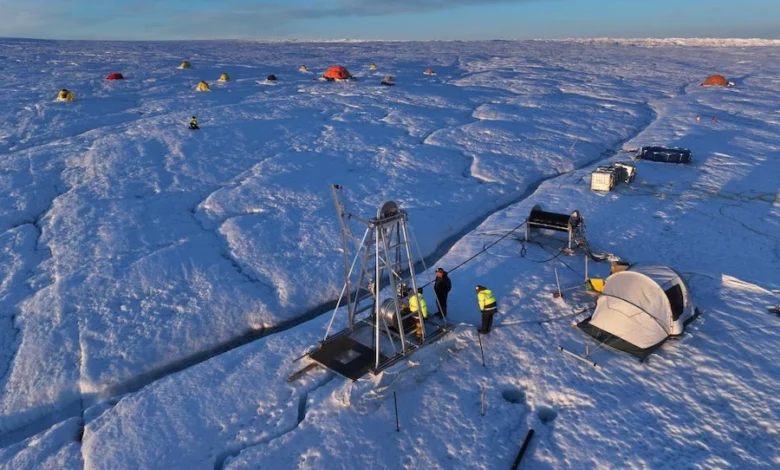
The urgency of these measures is heightened by the existence of positive feedback loops. As the planet warms, Arctic permafrost thaws, releasing ancient carbon and methane that had been locked away for millennia. This, in turn, accelerates warming, creating a cycle that could trigger irreversible climate tipping points. Similarly, the increased frequency of large-scale wildfires—driven by hotter, drier conditions—releases significant bursts of methane into the atmosphere. These "feedback" mechanisms represent a major scientific uncertainty that underscores the necessity of aggressive, near-term emissions cuts.
Conclusion: A Decisive Decade
The challenge posed by methane is unique in its scale and its potential for rapid reversal. Unlike carbon dioxide, which lingers for centuries, the relatively short atmospheric life of methane means that the global community can see the benefits of mitigation within our own lifetimes. While current international pledges represent a start, the data confirms that real-world action has yet to catch up with the scientific consensus. Addressing the "methane bomb" in our energy, agricultural, and waste sectors is perhaps the single most effective strategy for preventing the worst outcomes of the current climate crisis. The technology to achieve these reductions exists today; what remains is the political and corporate will to implement them before the window of opportunity closes.