Tag Apple Pencil 1st Generation
Apple Pencil (1st Generation): Precision, Versatility, and Value in Digital Art and Productivity
The Apple Pencil (1st Generation) represents a pivotal advancement in stylus technology, specifically engineered to unlock the full potential of compatible iPads for creative professionals, students, and everyday users seeking enhanced precision and intuitive interaction. Launched to complement the iPad Pro lineup, its seamless integration and pressure-sensitive capabilities transformed digital drawing, note-taking, and annotation. This article delves into the comprehensive features, benefits, use cases, and considerations surrounding the Apple Pencil (1st Generation), providing an in-depth resource for anyone looking to understand its enduring relevance and application in the modern digital landscape.
Understanding the Core Technology and Design
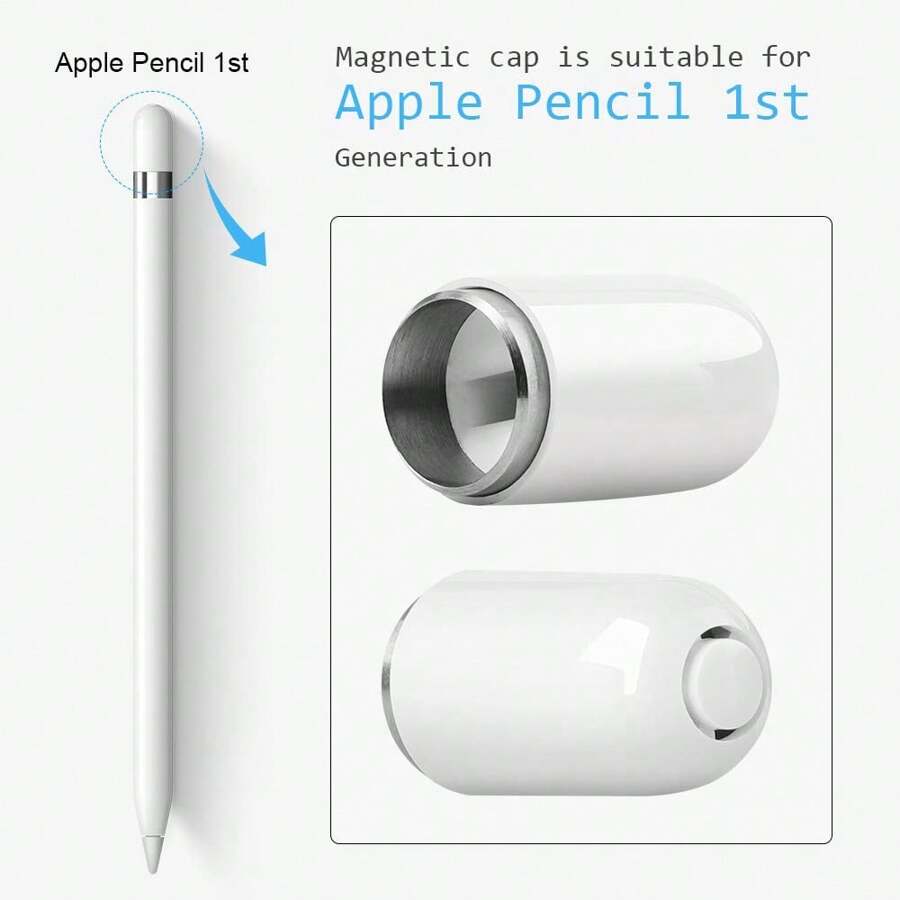
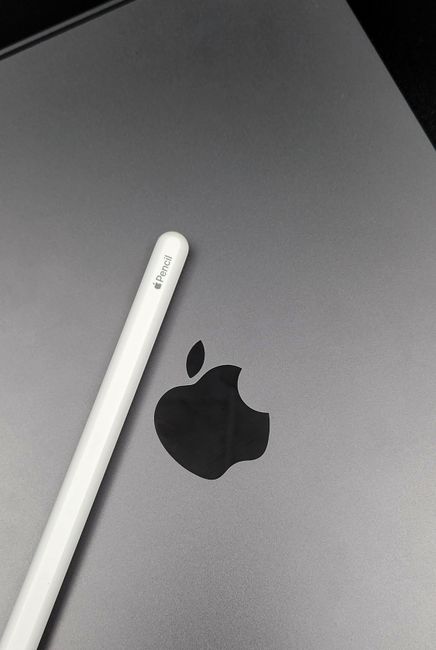
The Apple Pencil (1st Generation) is characterized by its minimalist and elegant design, mirroring the aesthetic of a traditional pencil. It features a smooth, white cylindrical body with a distinctive flat side, preventing it from rolling off surfaces. The tip is replaceable and contains the advanced sensors responsible for its responsiveness. Internally, it houses sophisticated technology that meticulously tracks the stylus’s position, tilt, and the pressure applied to the screen. This combination of hardware and software optimization allows for a natural and fluid drawing and writing experience, virtually indistinguishable from using physical media.
One of the most celebrated features of the 1st Generation Apple Pencil is its pressure sensitivity. This means the harder you press, the thicker and darker the line becomes. This granular control is crucial for artists aiming to achieve nuanced shading, delicate lines, and expressive strokes. Similarly, for note-takers, it allows for varied line weights depending on the writing instrument selected in an app, mimicking the look and feel of different pens.
Beyond pressure, the Pencil also boasts tilt sensitivity. This enables users to create shading effects by tilting the Pencil, much like an artist would use the side of a charcoal stick or a broad marker. This dual sensitivity system provides a remarkable level of artistic freedom and expressive capability that was previously unattainable with capacitive styluses.
Seamless Connectivity and Charging
A defining, and at times polarizing, characteristic of the 1st Generation Apple Pencil is its charging mechanism. It utilizes a magnetic cap that reveals a Lightning connector. To charge, the Pencil is inserted directly into the iPad’s Lightning port. While innovative and ensuring the Pencil is always charged when the iPad is, this method can appear somewhat awkward and exposes the sensitive connector to potential damage if not handled with care. However, it guarantees that the Pencil is always ready to go, provided the iPad itself is charged. The charging process is remarkably swift, offering a substantial amount of battery life from just a few minutes of charging. A full charge provides approximately 12 hours of continuous use, more than sufficient for a full day of creative work or extensive note-taking.
Pairing the Apple Pencil with a compatible iPad is an effortless process. Simply remove the magnetic cap, insert the Pencil into the iPad’s Lightning port, and a prompt will appear on the screen to initiate pairing. Once paired, the Pencil remains connected until manually disconnected or the iPad is restarted. This seamless integration eliminates the need for Bluetooth menus or complex setup procedures, allowing users to jump straight into their work.
Key Features and Functionality
The true power of the Apple Pencil (1st Generation) lies in its ability to enhance the functionality of various iPad applications. Its precision allows for:
-
Digital Art and Illustration: For artists, the Apple Pencil is an indispensable tool. Apps like Procreate, Adobe Photoshop, and Affinity Designer come alive with the Pencil’s capabilities. Artists can create detailed sketches, intricate digital paintings, and precise vector graphics with unparalleled control over line weight, opacity, and texture. The natural feel and responsiveness minimize the learning curve for those transitioning from traditional art mediums.
-
Handwritten Notes and Annotation: Students and professionals alike benefit immensely from the ability to take handwritten notes directly on their iPads. Apps such as Apple Notes, Notability, and GoodNotes offer robust features for organizing, searching, and editing handwritten text. The Pencil makes taking notes feel as natural as pen and paper, with the added advantage of digital organization, searchability, and the ability to convert handwriting to typed text. Annotating PDFs, documents, and even screenshots becomes a swift and intuitive process, allowing for quick markups, feedback, and ideation.
-
Graphic Design and Layout: Designers can leverage the Apple Pencil for precise selections, detailed retouching, and intricate design work within graphic design applications. The pixel-perfect accuracy ensures that even the finest details are captured and manipulated with ease.
-
Productivity and Navigation: Beyond creative tasks, the Apple Pencil can also improve general iPad navigation. Its precise input can be beneficial for interacting with small interface elements, making it easier to tap buttons, select text, and navigate complex menus.
-
Presentation and Markup: For those who deliver presentations, the Apple Pencil allows for dynamic on-screen annotations, highlighting key points, and engaging the audience in real-time. This transforms static slides into interactive and engaging visual aids.
Compatibility Considerations
It’s crucial to understand that the Apple Pencil (1st Generation) is not universally compatible with all iPads. It is specifically designed to work with earlier models that feature a Lightning connector. This includes:
- iPad (6th, 7th, 8th, and 9th generation)
- iPad Air (2nd generation)
- iPad mini (4th generation)
- iPad Pro (12.9-inch, 1st and 2nd generation)
- iPad Pro (9.7-inch)
- iPad Pro (10.5-inch)
Users with newer iPad models, particularly those featuring USB-C ports and Edge-to-Edge displays, will require the Apple Pencil (2nd Generation) or the Apple Pencil (USB-C) for compatibility. Always verify the specific iPad model and its compatibility with the Apple Pencil (1st Generation) before making a purchase. This often involves checking Apple’s official support documentation or the product specifications of the iPad in question.
Tips for Maximizing Your Apple Pencil (1st Generation) Experience
To get the most out of your 1st Generation Apple Pencil, consider the following:
- Invest in Quality Apps: The Pencil’s capabilities are amplified by powerful and feature-rich applications. Explore drawing, note-taking, and productivity apps that are optimized for stylus input. Many offer free trials, allowing you to test their functionality before committing.
- Practice and Experiment: Like any new tool, there’s a learning curve. Spend time experimenting with different apps, pressure levels, and tilt angles to discover what works best for your workflow and creative style.
- Utilize the Flat Side: The flat side of the Pencil is not just for aesthetics; it’s designed to prevent it from rolling. Additionally, some apps can be configured to use this flat side for specific functions, such as zooming or panning.
- Manage Battery Life: While the battery life is generally good, it’s advisable to charge the Pencil when it’s low, especially if you anticipate extended use. Utilizing the magnetic charging method during breaks can ensure you’re always ready.
- Protect the Tip: The Pencil tip is a critical component. Avoid pressing down excessively hard, and consider a screen protector that is designed to work with styluses to prevent premature wear. Replacement tips are readily available if needed.
- Explore Third-Party Accessories: A range of third-party accessories, such as pencil grips, stands, and carrying cases, can enhance the comfort, protection, and portability of your Apple Pencil.
The Enduring Value of the 1st Generation Apple Pencil
Despite the introduction of newer generations, the Apple Pencil (1st Generation) continues to hold significant value, particularly for users who own compatible iPads. Its core functionality – precise input, pressure and tilt sensitivity, and seamless integration – remains highly effective for a wide range of tasks. For students on older iPads who need to take digital notes, or for hobbyist artists looking for an affordable entry into digital art on their existing hardware, the 1st Generation Apple Pencil offers a compelling solution. Its continued availability through refurbished channels and often at a lower price point makes it an attractive option for budget-conscious users.
The longevity of its relevance is a testament to the fundamental quality of its design and the power of its core technology. It democratized precise digital input on the iPad, making advanced creative and productivity tools accessible to a broader audience. While newer models offer features like magnetic charging and double-tap gestures, the essential experience of drawing and writing with the 1st Generation Apple Pencil is remarkably robust and satisfying.
Troubleshooting Common Issues
While the Apple Pencil (1st Generation) is generally reliable, users might occasionally encounter minor issues. Common problems and their solutions include:
- Pencil Not Connecting or Pairing: Ensure the iPad is updated to the latest software version. Try unpairing and re-pairing the Pencil. Clean the Lightning port on both the iPad and the Pencil with a dry, lint-free cloth. Restart the iPad.
- Pencil Not Responding to Pressure: Verify that the app you are using supports pressure sensitivity. Check the Pencil’s battery level. Ensure the tip is securely attached.
- Charging Issues: Make sure the Pencil is inserted correctly into the iPad’s Lightning port. Clean the port. Try charging with a different compatible iPad if possible to isolate the issue.
- Lag or Latency: Close unnecessary background apps on the iPad to free up processing power. Ensure the iPad’s software is up-to-date. Some apps may have performance limitations.
Conclusion
The Apple Pencil (1st Generation) remains a powerful and versatile tool for anyone seeking to enhance their digital workflow on a compatible iPad. Its innovative pressure and tilt sensitivity, combined with its seamless integration, offer a natural and intuitive experience for digital art, note-taking, and productivity. While newer generations have emerged, the 1st Generation Apple Pencil continues to provide exceptional value and functionality for users who own the supported iPad models, making it a worthwhile investment for creative expression and efficient digital management. Its legacy is defined by its ability to bridge the gap between the physical and digital worlds, empowering users to interact with their iPads in ways that were once the realm of specialized hardware.