Chatgpt With Vs Code

ChatGPT vs. VS Code: A Synergistic Partnership for Enhanced Developer Productivity
The integration of Large Language Models (LLMs) like ChatGPT into the software development workflow is rapidly transforming how developers write, debug, and understand code. While ChatGPT excels at generating text, explaining concepts, and even suggesting code snippets, its power is amplified when paired with a robust Integrated Development Environment (IDE) such as Visual Studio Code (VS Code). This article delves into the symbiotic relationship between ChatGPT and VS Code, exploring how their combined strengths can significantly boost developer productivity, streamline complex tasks, and foster a deeper understanding of programming paradigms. We will dissect the functionalities of each tool, highlight their specific contributions to the development process, and provide actionable strategies for leveraging them together effectively.
ChatGPT, developed by OpenAI, is a sophisticated AI model trained on a massive dataset of text and code. Its primary strengths lie in its natural language processing capabilities, allowing it to understand and generate human-like text. In a programming context, this translates to an ability to: explain code snippets, generate boilerplate code, write unit tests, suggest debugging solutions, translate code between languages, and even brainstorm architectural designs. It can answer complex programming questions, provide alternative approaches to solving a problem, and offer insights into best practices. Crucially, ChatGPT’s conversational nature allows for iterative refinement of requests, enabling developers to guide the AI towards more accurate and relevant outputs. Its knowledge base is extensive, covering a wide array of programming languages, frameworks, and libraries.
Visual Studio Code, on the other hand, is a free, open-source, and highly extensible code editor developed by Microsoft. Its popularity stems from its lightweight nature, extensive feature set, and a vast ecosystem of extensions that cater to virtually every programming language and development task. VS Code offers core IDE functionalities like syntax highlighting, intelligent code completion (IntelliSense), debugging tools, integrated terminal, version control integration (Git), and code refactoring. Its power is further amplified by its marketplace, which hosts thousands of extensions that add specific language support, linters, formatters, testing frameworks, and much more. VS Code’s extensibility allows developers to tailor their environment precisely to their needs, creating a personalized and efficient coding workspace.
The fundamental advantage of combining ChatGPT and VS Code lies in their complementary skillsets. ChatGPT acts as an intelligent assistant, providing high-level conceptual understanding and code generation capabilities, while VS Code provides the structured environment for implementing, testing, and refining that code. This partnership addresses common development bottlenecks. For instance, when faced with an unfamiliar API or a complex algorithm, a developer can query ChatGPT for an explanation and a basic code structure. This generated snippet can then be directly pasted into VS Code, where IntelliSense can assist with method signatures and parameter types, and the debugger can be used to step through the logic. This eliminates the need for extensive manual research and initial boilerplate coding, freeing up mental bandwidth for more critical problem-solving.
One of the most impactful applications of this synergy is in code generation and understanding. Developers can ask ChatGPT to generate code for specific functionalities. For example, a prompt like "Generate a Python function to read a CSV file and return a list of dictionaries, handling potential FileNotFoundError" will yield a functional piece of code. This code can then be seamlessly integrated into a VS Code project. Within VS Code, the developer can leverage IntelliSense to autocomplete any remaining parts of the function, identify potential issues with syntax, and run the code to test its output. Furthermore, if the generated code is complex or unfamiliar, the developer can paste it into ChatGPT for a detailed explanation, breaking down each line and its purpose. This bidirectional interaction accelerates learning and reduces the cognitive load associated with adopting new libraries or coding patterns.
Debugging is another area where ChatGPT and VS Code shine together. When encountering an error, a developer can paste the error message and the relevant code snippet into ChatGPT. The AI can often identify the root cause of the error, suggest potential fixes, and even explain why the error is occurring. This pre-analysis can save considerable time compared to traditional trial-and-error debugging. Once ChatGPT provides a solution, the developer can implement it directly within VS Code. The IDE’s debugger then becomes invaluable for verifying the fix, stepping through the code line by line to confirm the intended behavior and ensure no new issues have been introduced. For more complex bugs, ChatGPT can even help generate unit tests for specific code sections, which can then be run within VS Code to systematically identify regressions.
The collaborative potential extends to learning and skill development. For junior developers or those venturing into a new technology stack, ChatGPT can act as a personalized tutor. They can ask for explanations of programming concepts, request examples of how to use specific libraries, or ask for guidance on best practices. VS Code, with its rich ecosystem of extensions, can then provide immediate practical application of these learned concepts. For instance, after learning about asynchronous programming with JavaScript from ChatGPT, a developer can immediately start implementing asynchronous operations in VS Code, benefiting from IntelliSense for async/await syntax and debugging tools to visualize the execution flow. The ability to learn theoretically and immediately apply practically within the same integrated environment is a powerful pedagogical tool.
For more experienced developers, the partnership can accelerate the prototyping and experimentation phases. When exploring new libraries or architectural patterns, ChatGPT can quickly generate initial implementations or demonstrate key concepts. This allows developers to quickly get a feel for a technology without investing significant time in manual setup and initial coding. The generated code can then be quickly iterated upon within VS Code, with the IDE’s refactoring tools and integrated testing capabilities ensuring the rapid development of robust prototypes. The ability to quickly generate and test ideas significantly shortens the innovation cycle.
The extensibility of VS Code plays a crucial role in enhancing the ChatGPT integration. Numerous extensions are emerging that directly bridge the gap between LLMs and the IDE. These extensions can:
- Provide Inline Code Generation: Some extensions allow developers to trigger ChatGPT directly within the code editor, prompting it to generate code based on comments or selected code snippets. This seamless integration minimizes context switching.
- Offer AI-Powered Code Completion: Beyond traditional IntelliSense, AI-powered extensions can offer more contextually aware and intelligent code suggestions, often generated by LLMs.
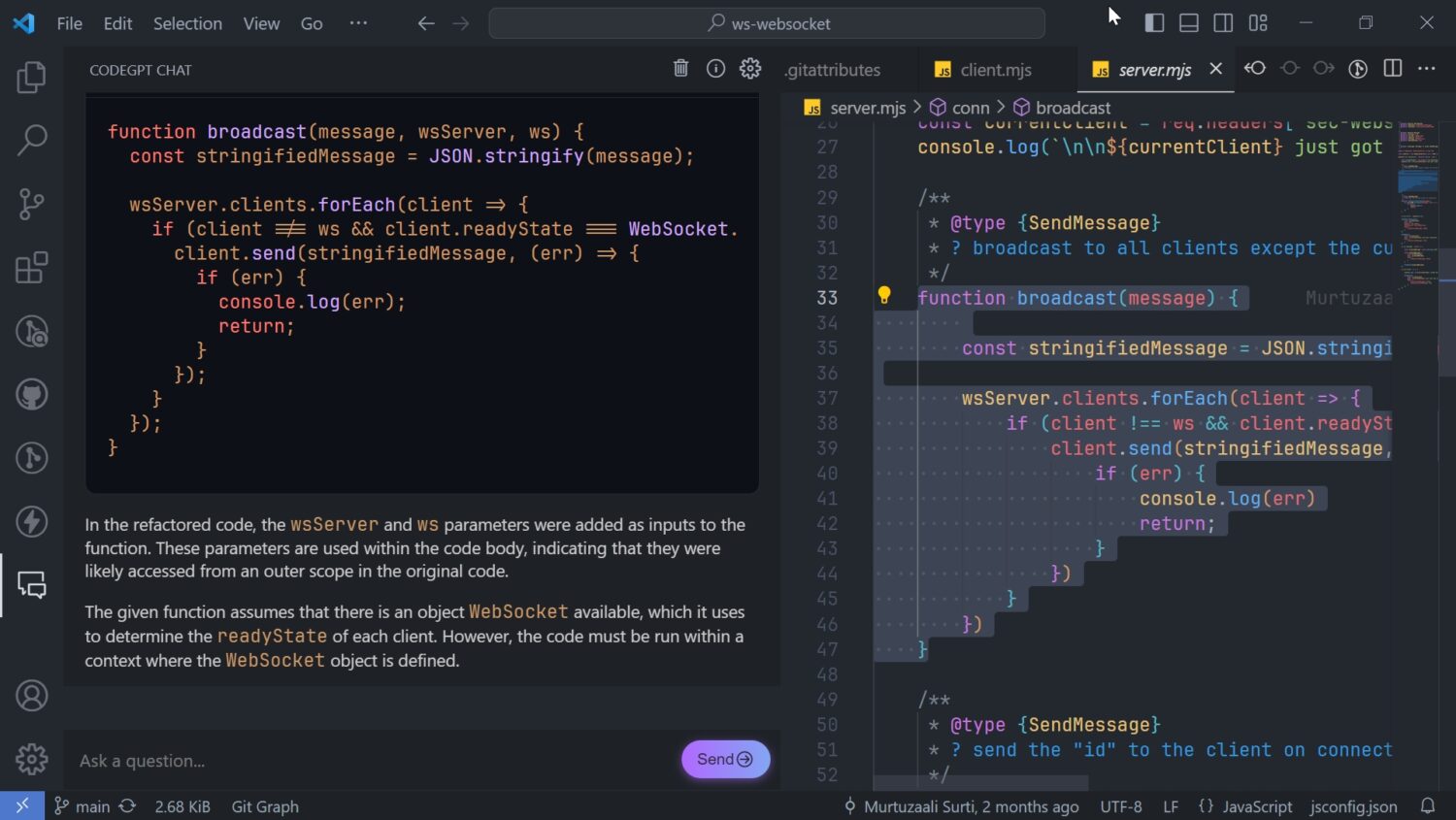
- Facilitate Code Explanation: Extensions can enable developers to highlight a piece of code and receive an explanation directly within VS Code, powered by ChatGPT.
- Assist with Documentation Generation: ChatGPT can be prompted to generate docstrings or other forms of code documentation, which can then be directly incorporated into VS Code projects.
- Enable AI-Powered Refactoring: Future integrations may see AI suggesting and even performing complex code refactoring operations.
The benefits of this synergistic approach are manifold. Developers can experience:
- Increased Speed and Efficiency: Automating repetitive tasks like boilerplate code generation and initial debugging saves significant time.
- Reduced Cognitive Load: Offloading the generation of basic code structures and explanations allows developers to focus on higher-level problem-solving and architectural design.
- Improved Code Quality: By leveraging AI for suggestions and explanations, developers can learn and adopt best practices more readily, leading to cleaner and more maintainable code.
- Accelerated Learning and Skill Acquisition: The ability to learn theoretically and immediately apply practically within an integrated environment fosters rapid skill development.
- Enhanced Problem-Solving Capabilities: AI can offer alternative perspectives and solutions to complex problems, expanding a developer’s problem-solving toolkit.
- Greater Confidence in New Technologies: The ability to quickly experiment and receive guidance reduces the intimidation factor of adopting new languages or frameworks.
However, it’s crucial to acknowledge the limitations and best practices when using ChatGPT with VS Code. Developers must always critically review AI-generated code. ChatGPT can hallucinate, produce inefficient code, or introduce subtle bugs. Thorough testing and understanding of the generated code are paramount. Similarly, relying solely on AI for debugging without understanding the underlying principles can hinder long-term skill development. The goal is to augment, not replace, human expertise.
To maximize the benefits, developers should:
- Craft Clear and Specific Prompts: The quality of ChatGPT’s output is directly proportional to the clarity and specificity of the prompt. Provide context, desired outcomes, and any relevant constraints.
- Iterate and Refine: Treat ChatGPT as a collaborative partner. If the initial output isn’t satisfactory, provide feedback and ask for revisions.
- Understand the Generated Code: Never blindly copy-paste. Take the time to understand how the generated code works, its implications, and potential edge cases.
- Leverage VS Code’s Features: Utilize IntelliSense, debugging tools, linters, and formatters to complement and refine AI-generated code.
- Stay Updated on Extensions: The ecosystem of AI-powered VS Code extensions is rapidly evolving. Explore new extensions that can further streamline your workflow.
- Maintain a Human-Centric Approach: AI is a tool. The ultimate responsibility for code quality, security, and functionality rests with the developer.
The combination of ChatGPT and VS Code represents a significant leap forward in developer tooling. By harmonizing the natural language understanding and code generation capabilities of LLMs with the robust, extensible, and feature-rich environment of a modern IDE, developers can unlock unprecedented levels of productivity and innovation. This partnership is not merely about using two separate tools; it’s about forging a synergistic relationship that empowers developers to build better software, faster, and with a deeper understanding of the underlying technologies. The future of software development will undoubtedly be shaped by such intelligent integrations, and mastering the interplay between tools like ChatGPT and VS Code will be a key differentiator for developers navigating the evolving landscape of technology.