Barack Obama Mocks Trump White House Renovations at Ohio Rally, Comparing Residence to a Cheesecake Factory Run by Saddam Hussein

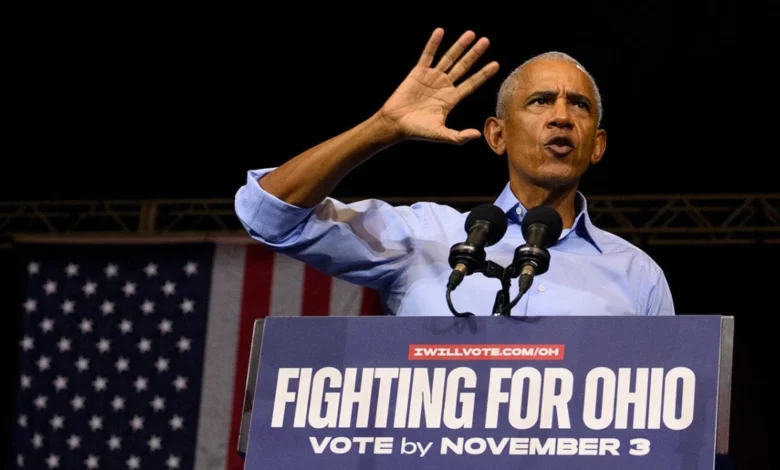
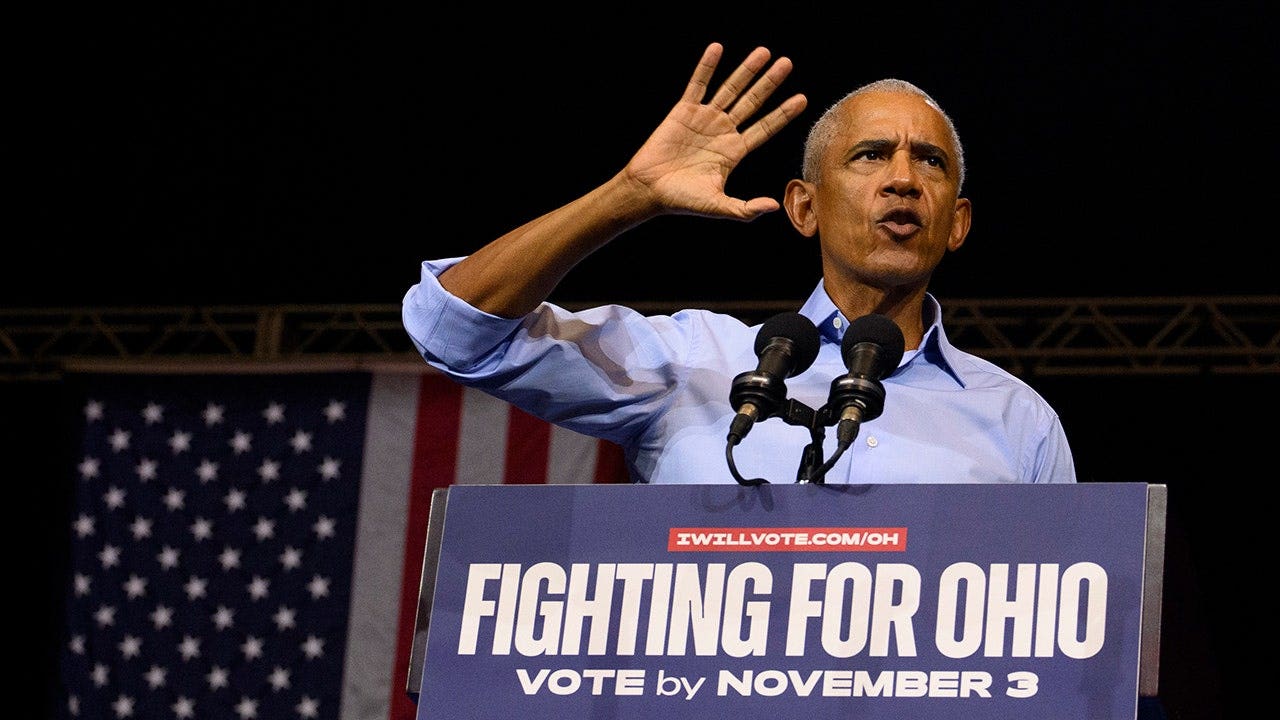
Former President Barack Obama delivered a sharply worded critique of President Donald Trump’s administration during a high-stakes campaign rally in Cleveland, Ohio, attacking everything from White House interior design choices to foreign policy decisions. Speaking before a packed crowd just ten days ahead of the midterm elections, Obama directed his remarks toward local Democratic candidates—including gubernatorial hopeful Amy Acton and Senator Sherrod Brown—while simultaneously taking aim at the current commander-in-chief’s executive priorities.
The speech highlighted deep partisan divisions over governance, historical preservation, foreign policy, and the visual aesthetics of the nation’s highest executive office. The former president’s commentary quickly ignited a broader political debate, drawing sharp contrasts between his own legacy in Washington and the ongoing infrastructure projects executed under the Trump administration.
Architectural Critique and White House Upgrades
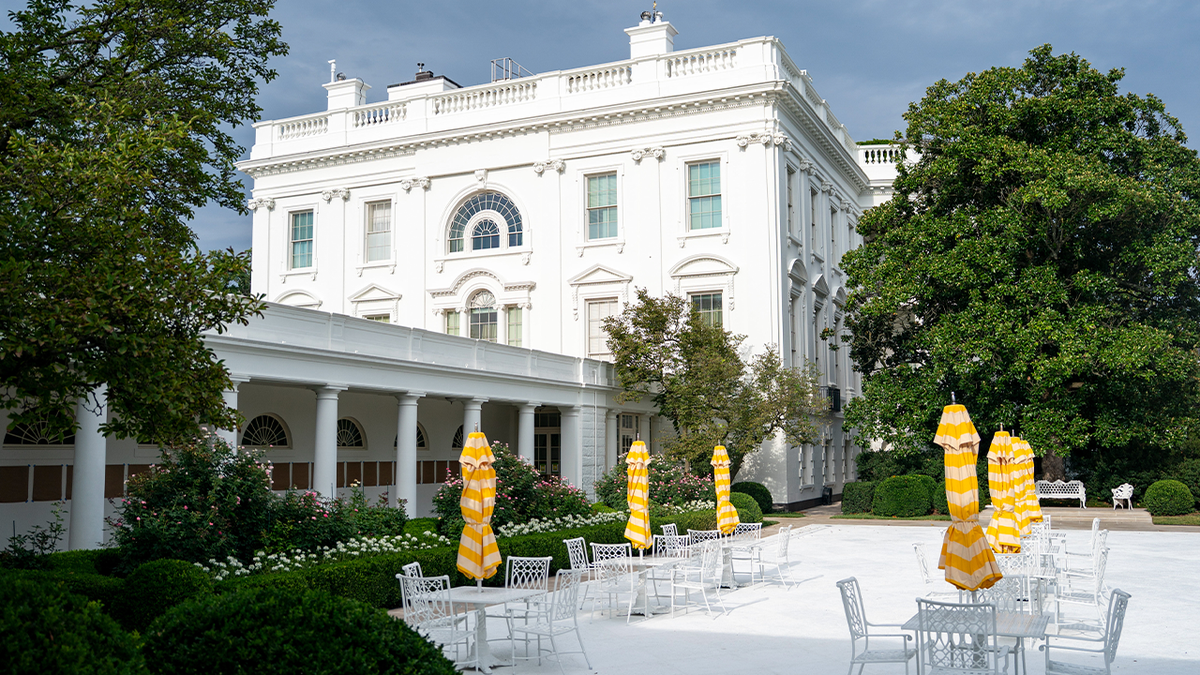
The centerpiece of Obama’s address focused heavily on executive property modifications, which he suggested demonstrated misplaced priorities. Specifically, Obama rattled off a list of prominent real estate changes enacted during Trump’s tenure, including a newly designed ballroom project, a modernized Rose Garden layout, and a newly paved South Lawn helipad.
"I mean, I don’t know if you’ve noticed, but he seems very focused on home renovations," Obama remarked to the Cleveland audience. "He should be on HGTV."
Mocking Trump’s well-known affinity for gold finishes, elaborate ornamentation, and high-contrast interior decor, Obama offered a vivid punchline: "He’s got the White House looking like Saddam Hussein opened a Cheesecake Factory."
While the former president framed these renovations as frivolous vanity projects, administration defenders and architectural records present a more complex functional picture. The modifications carried out at the executive mansion include notable infrastructure and security updates designed to accommodate modern presidential operations:
- The White House Rose Garden: In 2025, the administration replaced the central grassy lawn with durable limestone paving. According to White House planning documents, the redesign aimed to create a stable, weather-resistant patio suitable for large outdoor events, bill signings, and formal press addresses, while retaining the perimeter’s traditional rose plantings.
- The South Lawn Helipad: Completed and unveiled in September, the upgraded granite landing facility features an embedded presidential seal and was constructed to streamline Marine One arrivals and departures with improved safety margins and structural integrity.
- The White House Ballroom Project: Designed to provide a permanent, climate-controlled, and secure space for large official functions, state dinners, and major receptions, the ballroom addresses a decades-old logistical reliance on temporary event tents on the South Lawn. A National Park Service environmental assessment noted that the requirement for permanent expanded event facilities was originally identified in executive planning documents dating back to the year 2000.
Despite these operational justifications, the aesthetic evolution of the White House grounds remains a frequent flashpoint in modern political discourse, reflecting divergent tastes and philosophies regarding the preservation of national landmarks.
Counter-Critiques: The Obama Presidential Center’s Ballooning Costs
In the wake of Obama’s architectural jabs, political analysts and Republican strategists were quick to point out parallel controversies surrounding the former president’s own massive infrastructure endeavor: the Obama Presidential Center in Chicago’s Jackson Park.
The multi-building campus, anchored by an imposing, granite-clad tower frequently dubbed the "Obamalisk" by critics, has faced sustained scrutiny regarding its financial trajectory and construction timeline. According to previous financial tracking and reporting, the projected cost of the Obama Presidential Center has climbed past the $1 billion mark, nearly tripling its initial $350 million estimate.
Furthermore, the project has drawn criticism over local disputes involving subcontractors claiming millions in unpaid balances, as well as the allocation of hundreds of millions of dollars in taxpayer-funded public infrastructure upgrades necessary to support the surrounding campus. The juxtaposition of Obama criticizing executive property investments while overseeing a billion-dollar presidential library became a focal point for media commentary following the Cleveland rally.
Foreign Policy Clashes: The Iran Nuclear Deal and Regional Conflict
Beyond domestic architecture, Obama used the midterm rally platform to criticize Trump’s foreign policy record, specifically focusing on Middle East diplomacy and the ongoing conflict involving Iran. Obama accused the current administration of instigating unnecessary geopolitical friction that has contributed to global instability and higher consumer energy prices.
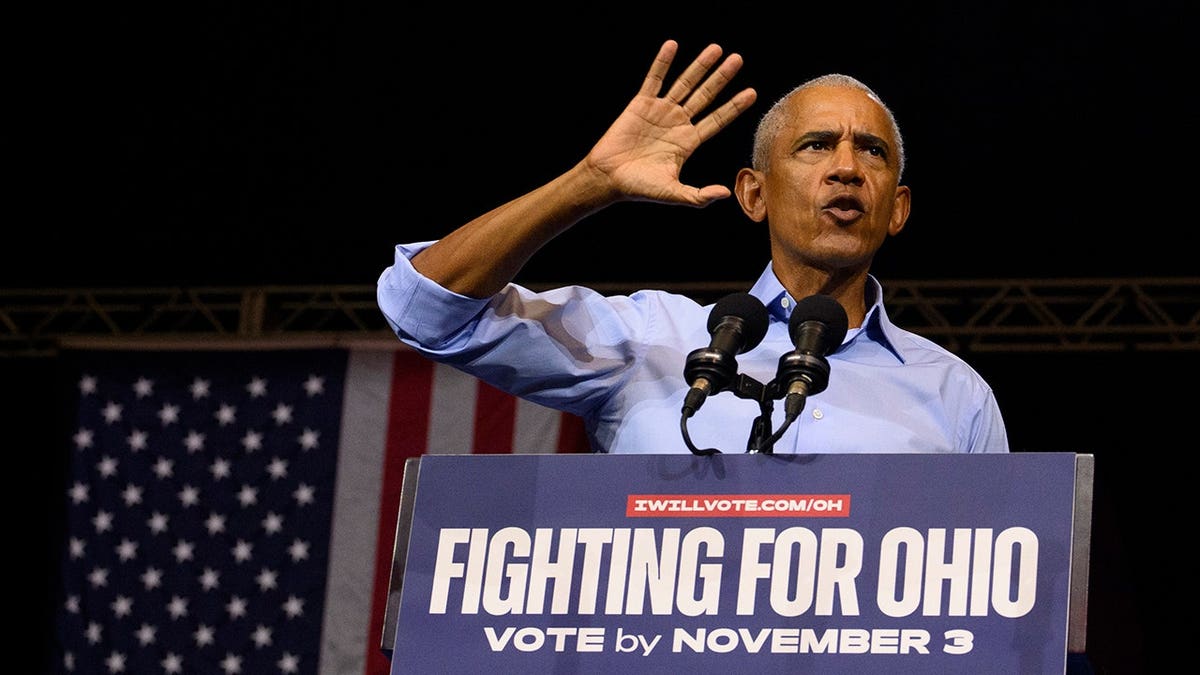
"Most importantly, he decided to start an unnecessary war that nobody asked for and nobody voted for," Obama told the crowd.
The former president also defended the Joint Comprehensive Plan of Action (JCPOA)—commonly known as the Iran nuclear deal—which was negotiated and signed in 2015 during his administration.
"Iran didn’t have nuclear weapons because I had put a deal in place that everybody knows kept them from getting nukes," Obama claimed.
The legacy of the 2015 agreement remains deeply divisive. In 2018, President Trump formally withdrew the United States from the accord, characterizing it as a fundamentally flawed agreement that relied on temporary sunset clauses, failed to curb Tehran’s ballistic missile development, and did not adequately halt Iranian support for regional militant proxy groups. Proponents of the deal, including former Obama administration officials, argue that international inspections successfully froze Iran’s nuclear enrichment pathways prior to the U.S. withdrawal, whereas critics contend that the sanctions relief provided under the accord allowed Tehran to fund regional destabilization efforts.
Economic Concerns and the Ohio Midterm Landscape
Shifting focus to domestic financial pressures, Obama argued that current economic policies under Republican leadership have driven up everyday costs for American families. He tied these concerns directly to immigration enforcement measures and federal spending, urging voters to turn out in force to support the Democratic ticket.
The political battleground in Ohio holds immense symbolic and strategic value. Obama famously carried the Buckeye State in both his 2008 and 2012 presidential victories, demonstrating an ability to connect with working-class Midwestern voters. However, in subsequent election cycles, the state shifted rightward, reliably supporting Trump across his three presidential bids.
The upcoming midterm elections feature closely watched contests that could dictate the balance of power in Washington and Columbus:
- The Gubernatorial Race: Democrat Amy Acton is facing off against Trump-backed Republican Vivek Ramaswamy in a high-profile battle for the governor’s mansion.
- The Senate Contest: Longtime Democratic incumbent Senator Sherrod Brown is defending his seat against Republican challenger Jon Husted in a race projected to be among the most expensive and competitive legislative battles of the cycle.
Broader Implications and Official Reactions
As both parties enter the final stretch before election day, high-profile surrogates like Barack Obama play a critical role in energizing the base, driving campaign fundraising, and framing the national narrative. While humorous barbs regarding White House interior design capture media headlines, they underscore a deeper ideological contest over executive competence, historical preservation, and the future direction of American foreign and domestic policy.
Fox News Digital reached out to the White House for formal comment regarding Obama’s remarks on executive renovations and foreign policy, but did not receive an immediate response prior to publication. As the campaign clock ticks down, both political camps continue to lean heavily on contrasting records, past accomplishments, and competing visions for the nation’s economic and institutional future.
Related posts: