Tag Best Photo Editor

The Best Photo Editor: Unlocking Your Creative Potential
Selecting the best photo editor is a pivotal decision for anyone looking to elevate their visual content, from casual smartphone users to professional photographers and graphic designers. The ideal editor transcends mere cropping and color adjustments; it empowers users with sophisticated tools for retouching, compositing, creative manipulation, and output optimization. This article will delve into the key considerations when choosing a photo editor, explore the leading contenders across different user needs, and highlight the features that define exceptional image manipulation software. Understanding the nuances of these programs will enable you to make an informed choice that aligns with your artistic vision, technical proficiency, and budgetary constraints, ultimately unlocking your full creative potential in the digital realm. The digital photography and graphic design landscape is vast and ever-evolving, and the software you choose to navigate it can significantly impact the quality and impact of your work. Therefore, a thorough evaluation of the available options is not just beneficial, but essential for anyone serious about their visual endeavors.
When evaluating photo editors, several core functionalities and characteristics should be prioritized. At the forefront is non-destructive editing. This fundamental principle ensures that your original image data remains intact, allowing you to revert to previous states or make alterations at any point without permanent degradation. This is typically achieved through the use of layers, adjustment layers, and smart objects. Color correction and grading are another critical aspect. Sophisticated tools for adjusting exposure, contrast, white balance, saturation, and hue are essential for bringing out the best in your photographs and establishing a specific mood or aesthetic. The ability to perform selective adjustments using masks and brushes further enhances this capability, allowing for precise control over specific areas of an image.
Retouching tools are indispensable for photographers and portrait artists. These include features for removing blemishes, smoothing skin, whitening teeth, and reshaping features without introducing unnatural artifacts. Advanced editors offer sophisticated algorithms for content-aware fill and healing, which can intelligently remove unwanted objects or distractions from an image. For those venturing into more creative endeavors, compositing and manipulation capabilities are paramount. The ability to seamlessly blend multiple images, create complex montages, and apply artistic filters and effects opens up a world of possibilities. This often involves advanced selection tools, layer blending modes, and transformation options.
User interface (UI) and user experience (UX) play a significant role in productivity and ease of use. While some professional-grade software can have a steep learning curve, an intuitive and well-organized interface can significantly streamline the editing workflow. Customizable workspaces, keyboard shortcuts, and efficient navigation are all elements that contribute to a positive UX. Performance and system requirements are also crucial considerations. Powerful editing software demands significant processing power and RAM, so it’s essential to ensure your hardware can handle the demands of your chosen program. Conversely, some editors are designed to be more lightweight and accessible on less powerful machines.
Finally, pricing models and accessibility are practical factors. Software ranges from free, open-source options to subscription-based services and perpetual licenses. The availability of learning resources, such as tutorials, forums, and community support, can also be a deciding factor, especially for beginners. The best photo editor for one individual might be entirely unsuitable for another, depending on their specific needs and workflow.
Considering these factors, we can now explore the leading contenders in the photo editing arena. For professionals and serious hobbyists seeking the industry standard, Adobe Photoshop remains the undisputed king. Its unparalleled depth of features covers every conceivable aspect of image manipulation. From intricate retouching and complex compositing to 3D rendering and advanced graphic design, Photoshop offers a comprehensive toolkit. Its layer-based workflow, extensive brush engine, and vast array of filters and effects provide limitless creative freedom. The integration with other Adobe Creative Cloud applications, such as Lightroom for photo management and color grading, creates a seamless ecosystem for creative professionals. However, Photoshop’s subscription-based pricing model can be a barrier for some, and its immense feature set can be intimidating for newcomers.
For photographers primarily focused on organizing and enhancing their RAW files, Adobe Lightroom is an essential companion. While not a direct replacement for Photoshop for complex manipulation, Lightroom excels at non-destructive global and local adjustments, color grading, and cataloging large image libraries. Its intuitive interface and powerful masking tools make it incredibly efficient for photographers who shoot in volume. The Develop module offers a robust set of sliders for fine-tuning exposure, contrast, color, and detail. The new AI-powered masking features in Lightroom significantly enhance selective editing capabilities, allowing for precise adjustments to skies, subjects, and backgrounds with ease.
Stepping away from the Adobe ecosystem, Affinity Photo has emerged as a powerful and cost-effective alternative. Offering a one-time purchase model, Affinity Photo provides a remarkably comprehensive feature set that rivals Photoshop in many areas. It boasts a robust layer system, advanced retouching tools, HDR merging, panorama stitching, and a dedicated focus on performance. Its UI is clean and intuitive, making it accessible to users transitioning from other software. Affinity Photo also offers excellent RAW file processing capabilities and a strong emphasis on non-destructive editing. For those seeking a professional-grade editor without the recurring subscription, Affinity Photo is an exceptional choice.
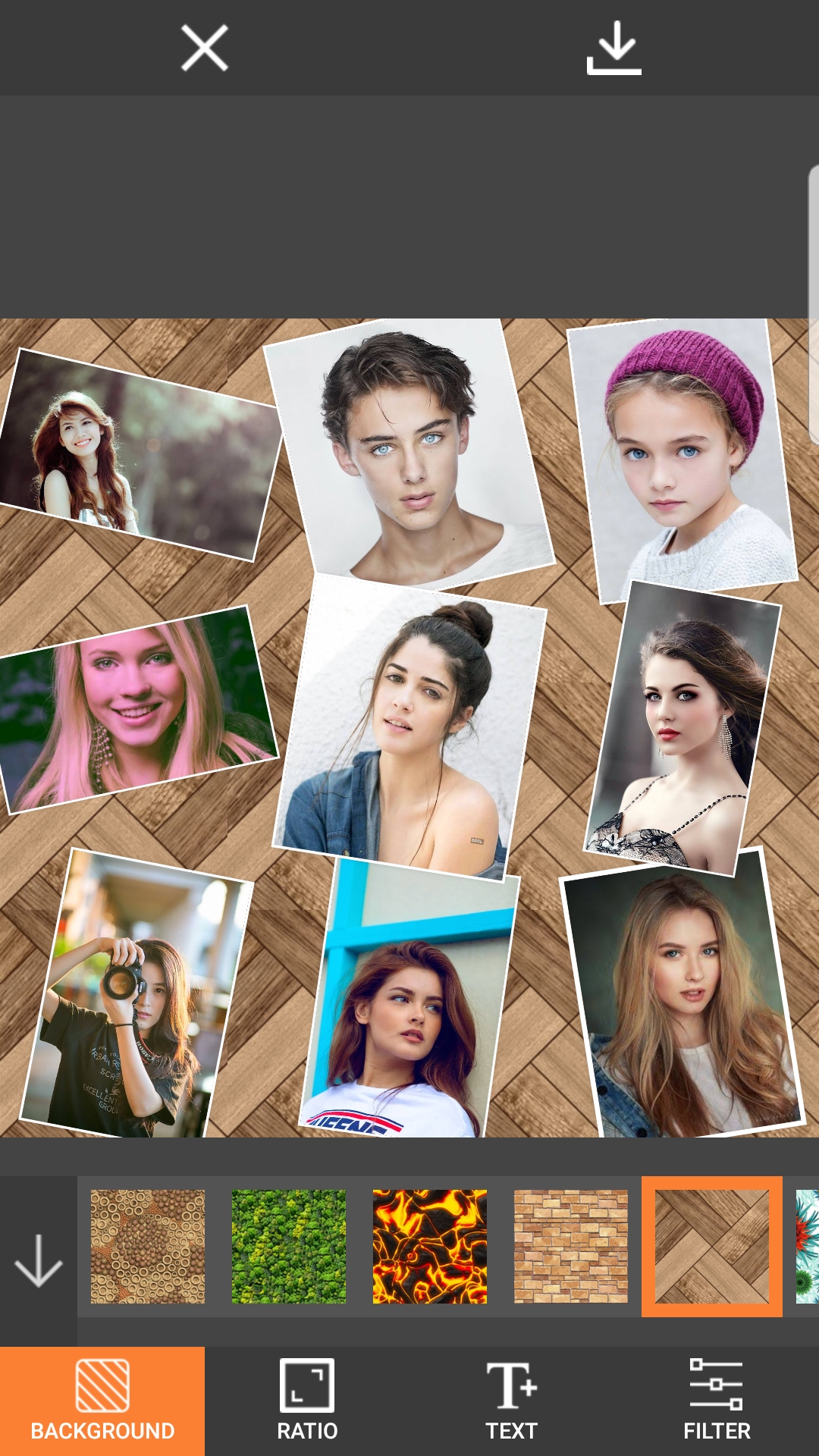
For users who prioritize simplicity and ease of use, especially for everyday photo enhancements and social media sharing, Canva has gained immense popularity. While not a traditional pixel-pushing editor, Canva excels at template-based design and quick, accessible edits. Its drag-and-drop interface, vast library of templates, fonts, and stock images, and straightforward adjustment tools make it incredibly user-friendly. Canva is particularly well-suited for creating social media graphics, presentations, and simple collages. While it lacks the granular control of Photoshop or Affinity Photo, its accessibility and speed are unmatched for many users.
Another strong contender for RAW processing and a more streamlined editing experience is Capture One Pro. Renowned for its superior color rendering and tethering capabilities, Capture One is a favorite among many professional photographers, particularly in studio environments. Its advanced color editor, layered adjustments, and sophisticated noise reduction algorithms set it apart. While it has a steeper learning curve than Lightroom, the quality of the output and the control it offers are exceptional. Capture One Pro also operates on a perpetual license or subscription model.
For open-source enthusiasts and those on a tight budget, GIMP (GNU Image Manipulation Program) is a powerful and feature-rich option. GIMP offers a vast array of tools for retouching, compositing, and creative manipulation, and it is constantly being developed by a dedicated community. While its interface can feel less polished than commercial alternatives and its learning curve can be significant, its capabilities are impressive for a free program. For users willing to invest the time in learning its intricacies, GIMP can be a highly effective photo editor.
Beyond these prominent examples, the market offers specialized tools. Luminar Neo, for instance, leverages AI-powered tools for rapid and impressive enhancements, making complex edits like sky replacement and portrait retouching remarkably simple. For mobile editing, Snapseed by Google offers a surprisingly powerful and intuitive suite of tools for smartphone users, while VSCO is popular for its analog-inspired filters and community.
The "best" photo editor ultimately depends on your specific workflow, skill level, and creative goals. If you require the absolute pinnacle of control and industry-standard features for professional work, Adobe Photoshop is the benchmark, often paired with Lightroom for cataloging and RAW processing. For those seeking a robust, professional-grade alternative with a one-time purchase, Affinity Photo presents an outstanding value. If your focus is primarily on organizing and enhancing RAW files with a user-friendly interface, Lightroom is an excellent choice. For quick, template-driven design and accessible edits, Canva is a top contender. Photographers demanding superior color fidelity and tethering often turn to Capture One Pro. And for a powerful, free, and open-source solution, GIMP is an excellent option, albeit with a steeper learning curve.
Consider the type of photography you engage in. Portrait photographers will benefit from sophisticated skin smoothing and blemish removal tools. Landscape photographers will appreciate advanced color grading and HDR capabilities. Event photographers might prioritize efficient batch editing and RAW processing. Graphic designers will need robust layer management, vector tools (often found in companion software), and precise selection capabilities.
The future of photo editing is increasingly leaning towards AI-driven enhancements. Tools that can intelligently remove distractions, enhance details, and even generate elements within an image are becoming more prevalent. These advancements aim to democratize complex editing techniques, making them accessible to a wider audience. However, for those who require granular control and artistic nuance, traditional manual editing methods will remain essential.
Ultimately, the most effective approach is to experiment. Many of these software options offer free trials. Download them, explore their interfaces, and test their core functionalities with your own images. Engage with online tutorials and communities to understand how others are utilizing these tools. The best photo editor is not a static entity but a dynamic tool that should empower your creative journey, enabling you to translate your vision into compelling visual narratives. By understanding the landscape of available software and carefully considering your individual needs, you can confidently select the editor that will best serve your artistic aspirations and help you achieve breathtaking results.