What Is Google Tag Manager And Why Use It
Google Tag Manager: A Comprehensive Guide to Implementation and Benefits
Google Tag Manager (GTM) is a free tag management system that allows users to manage and deploy marketing and analytics tags on their websites and mobile apps without needing to directly edit the website’s code. Instead of embedding tracking codes (like Google Analytics, Facebook Pixel, or advertising tags) directly into the HTML, JavaScript, or CSS of a website, GTM provides a centralized interface for adding, editing, and removing these tags. This streamlines the process of implementing tracking, testing changes, and ensuring data accuracy. GTM acts as an intermediary, a container for all your tags, making it significantly easier to manage digital marketing and analytics efforts. At its core, GTM separates the implementation of marketing tags from the actual website code. This separation is a fundamental concept that drives all its benefits.
The primary "why" behind using Google Tag Manager stems from the challenges of traditional tag management. Historically, adding or modifying tracking tags on a website required a developer to access and alter the website’s codebase. This process was often slow, prone to errors, and required a deep understanding of web development. For marketing teams, this meant relying on IT or development resources, leading to delays in campaign launches, tracking adjustments, and essential data collection. Even minor changes could necessitate a full code deployment. Furthermore, as the number of marketing tools and the complexity of tracking increased, managing a multitude of individual tags directly within the website’s code became a chaotic and error-prone endeavor. This is where GTM introduces a robust solution, offering a unified platform that empowers marketers to take control of their tracking strategy.
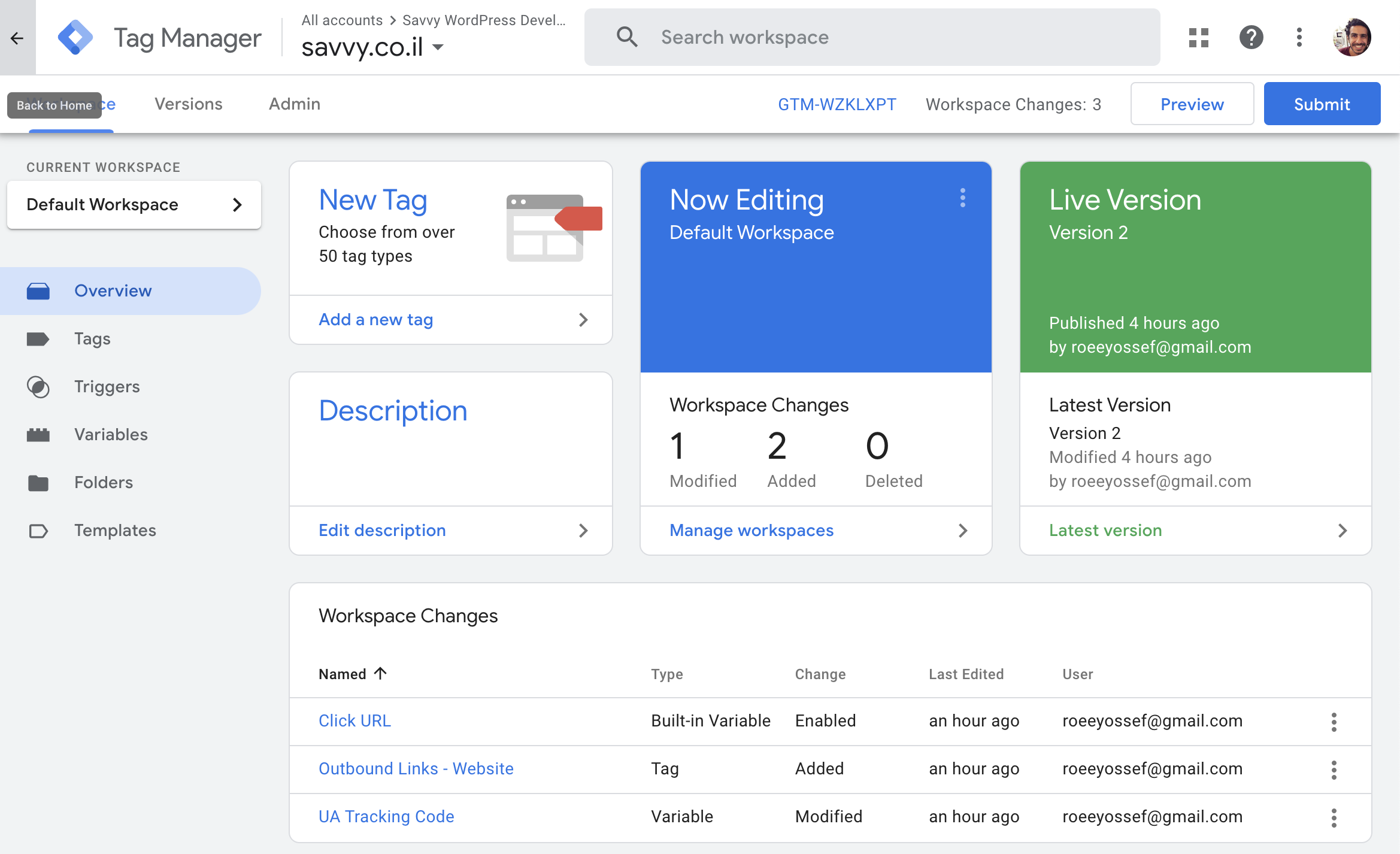
The core functionality of GTM revolves around three key components: Tags, Triggers, and Variables. Understanding these components is crucial to grasping how GTM operates and why it is so effective. Tags are snippets of code that send information to third-party services or your own analytics platforms. Examples include the Google Analytics tracking tag, the Facebook Pixel tag, or tags for advertising platforms like Google Ads or LinkedIn Ads. When a tag fires, it executes its code, typically sending data to the designated service. Triggers are the rules that determine when a tag should fire. They are event-driven. For instance, a trigger could be set to fire a tag when a user clicks a specific button, submits a form, views a particular page, or spends a certain amount of time on the site. Triggers allow for highly granular control over data collection, ensuring that tracking only occurs when relevant. Variables are placeholders that GTM uses to capture and pass dynamic information to your tags. They can represent anything from a page’s URL, a clicked element’s ID, a user’s scroll depth, or custom data you define. Variables make your tags dynamic and intelligent, allowing them to collect contextually relevant information. For example, a variable could capture the title of the page a user is currently viewing, which can then be sent to Google Analytics as a custom dimension.
The benefits of implementing Google Tag Manager are substantial and directly address the pain points of traditional tag management. Simplified Tag Management is perhaps the most immediate and apparent advantage. Instead of navigating through multiple codebases or relying on developers for every tag implementation, marketers can add, edit, and remove tags directly within the GTM interface. This dramatically reduces deployment time and the risk of introducing code errors. This centralization also provides a single source of truth for all deployed tags, making it easier to audit and understand what tracking is active on the website.
Improved Data Accuracy and Consistency is another critical benefit. By using GTM, you ensure that tags are implemented uniformly across your website or app. This consistency is vital for accurate data analysis. Without GTM, different developers might implement tags in slightly different ways, leading to discrepancies in the data collected. GTM’s templated tag system and built-in variables help enforce standardization. Furthermore, GTM’s robust testing and debugging tools, such as the GTM Preview and Debug mode, allow you to verify that tags are firing correctly and capturing the intended data before they are published to the live site. This proactive approach to quality assurance significantly reduces the likelihood of data loss or misinterpretation.
Enhanced Marketing Agility and Speed is a direct consequence of simplified tag management. Marketers can react to campaign needs or A/B testing opportunities much faster. If a new campaign requires specific tracking, a marketer can deploy the necessary tags within minutes or hours, rather than waiting days or weeks for development resources. This agility is crucial in the fast-paced digital marketing landscape, enabling quicker iteration on strategies and a more responsive approach to market changes. The ability to quickly deploy and test new tracking for landing pages, ad campaigns, or user behavior analysis empowers marketing teams to be more innovative and data-driven.
Reduced Reliance on Developers is a significant operational advantage, freeing up valuable developer time for more complex tasks. By enabling marketers to handle tag management, development teams can focus on building core product features and enhancing the user experience, rather than being bogged down by repetitive tagging requests. This not only improves development efficiency but also fosters better cross-functional collaboration, as marketers gain more autonomy and developers are relieved of a common bottleneck. This shift can lead to a more harmonious and productive working environment.
Version Control and Rollback Capabilities are built into GTM’s workflow. Every change made within GTM is recorded and can be versioned. If a new tag implementation or modification causes unforeseen issues, GTM allows you to easily roll back to a previous stable version. This safety net provides confidence when making changes, knowing that you can quickly revert to a working state if something goes wrong. This feature is invaluable for mitigating risks associated with tag deployment, especially in live production environments where errors can have immediate and significant consequences. The detailed version history also provides an audit trail of all changes made to your tagging setup.
Support for a Wide Range of Tags and Integrations is a testament to GTM’s versatility. It supports virtually any tracking code, from Google’s own products (Analytics, Ads, Optimize) to popular third-party platforms like Facebook, LinkedIn, Twitter, HubSpot, Optimizely, and many more. GTM also offers custom HTML tags, allowing you to deploy any JavaScript snippet or custom code you might need. This extensive support means that GTM can serve as a central hub for all your marketing technology stack’s tracking needs, simplifying the management of diverse tools. The platform actively updates its built-in tag templates to accommodate new features and services from various providers.
Improved Website Performance can also be an indirect benefit. While GTM itself introduces a small loading overhead, the ability to asynchronously load tags and control their firing can actually improve page load times compared to embedding numerous synchronous scripts directly in the page’s <head>. GTM allows for finer control over when and how these scripts are executed. For instance, you can configure tags to fire only on specific page views or after certain user interactions, rather than having all tracking scripts load immediately on page load. This can lead to a faster perceived loading experience for users, which is beneficial for both user experience and SEO.
Enhanced Security and Compliance is a consideration for many businesses. GTM helps by providing a single point of control for all tracking. This makes it easier to ensure that only approved and correctly configured tags are deployed, reducing the risk of malicious code injection. Furthermore, for organizations managing sensitive user data, GTM can help implement privacy controls and consent management solutions more effectively. By centralizing tag management, it becomes easier to audit and verify compliance with data privacy regulations like GDPR and CCPA. For instance, you can configure GTM to only fire certain tags once a user has provided explicit consent.
Streamlined A/B Testing and Experimentation is significantly simplified with GTM. Tools like Google Optimize (though now sunsetting, its principles remain relevant and are often integrated through GTM) or other A/B testing platforms integrate seamlessly with GTM. This allows marketers to deploy variations of website content or user flows and track their performance without requiring developer intervention for each test setup. GTM can manage the delivery of different content versions to specific user segments and track the outcomes, providing valuable insights for optimization. The ability to dynamically alter content and track user engagement with these variations is a powerful tool for iterative improvement.
Custom Event Tracking is a sophisticated use case for GTM. Beyond standard page views and clicks, GTM enables the tracking of highly specific user interactions that are critical for understanding user behavior. This could include tracking when a user watches a certain percentage of a video, downloads a PDF, completes a specific step in a multi-step form, or interacts with a particular UI element. By leveraging GTM’s dataLayer capabilities, you can push custom events and associated data from your website to GTM, which then allows you to fire tags and collect detailed metrics on these nuanced actions. This granular data provides deeper insights into user engagement and conversion paths.
Simplified Mobile App Tracking extends beyond websites. Google Tag Manager can also be implemented within mobile applications (Android and iOS). This allows for the centralized management of analytics and marketing tags within mobile apps, similar to its web functionality. This is particularly useful for apps that employ different marketing technologies for user acquisition, engagement, and analytics. It provides a unified approach to tracking user behavior and campaign effectiveness across various platforms. The mobile SDKs for GTM facilitate this integration, allowing developers to leverage the same tag management principles in their mobile applications.
GTM’s Ecosystem and Community Support: GTM is part of the broader Google Marketing Platform, indicating its strategic importance and ongoing development. There is a vast and active community of GTM users, developers, and agencies. This means readily available resources, tutorials, forums, and pre-built templates for common tracking scenarios. This extensive support network makes learning and troubleshooting GTM significantly easier. The availability of solutions and best practices shared by the community accelerates the adoption and effective utilization of the platform.
In conclusion, Google Tag Manager is an indispensable tool for any organization looking to effectively manage its digital marketing and analytics efforts. Its ability to simplify tag deployment, improve data accuracy, enhance marketing agility, reduce developer reliance, and provide robust testing and rollback capabilities makes it a cornerstone of modern web and app analytics. By centralizing tag management, GTM empowers marketing teams to be more autonomous, data-driven, and responsive, ultimately contributing to more effective marketing strategies and better business outcomes. The initial investment in learning and implementing GTM yields significant long-term benefits in terms of efficiency, accuracy, and strategic flexibility.